
Your Cisco Networking Academy certificate of completion displays the First and Last Name from your NetAcad.com profile.
Example:
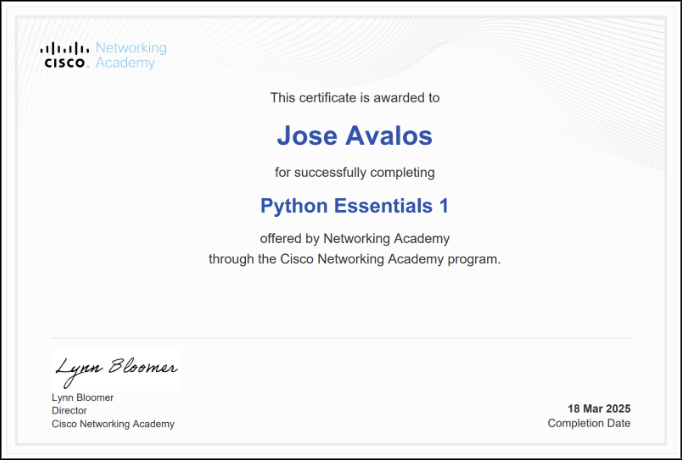
It’s important to verify this information before completing your course, as updating certificates of completion after they’re issued requires additional processing time.
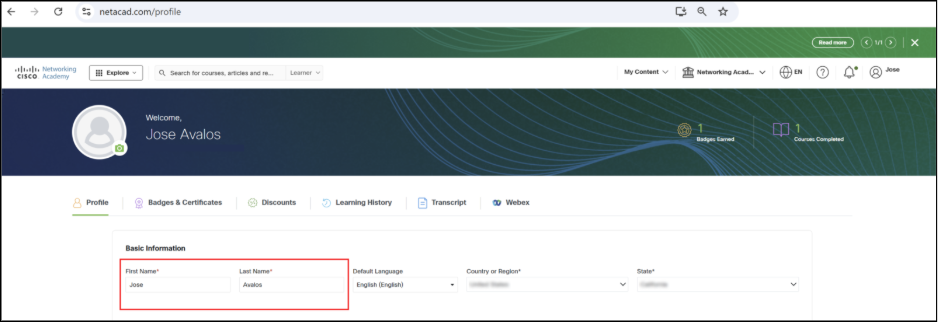
To update your name:
- Visit netacad.com/profile
- Ensure you are on the Profile tab
- Review your First Name and Last Name fields
- If they appear exactly as you want them on your certificate, no action is needed
- If changes are required, update the fields and save
Important: Make this update before your course ends to ensure your certificate of completion is issued correctly.
Make Sure Your Certificate of Completion Shows Your Correct Name